> ## Content Index
> Fetch the complete content index at: https://www.bramadams.dev/llms.txt
> Use this file to discover other available public pages before exploring further.
# May 12 2023
- URL: https://www.bramadams.dev/202305121544/
- Published: 2023-05-12T20:14:51.000Z
- Updated: 2023-05-22T03:43:54.000Z
- Description: Using Alfred to append to Obsidian, escapism, and a cool ass chip
- Author: Bram Adams
- Tags: instabram
cool chip.

cool chip 1.png

cool chip 2.png
## Quotes
> At times I have had many next actions that required me to be in “creative writing” mode; though those actions were At Computer, they required a different time and frame of mind than the rest of the things I needed to do at my laptop. It was much more relaxing and productive to manage my focus by sorting those onto a different, Creative Writing action list. I currently divide my computer-required actions into those that don’t require an Internet connection, those that do, and those that are just surfing (potentially fun or interesting things on the Web to explore). ([Location 3745](https://readwise.io/to%5Fkindle?action=open&asin=B00KWG9M2E&location=3745&ref=bramadams.dev))
---
## Code
Append to Resources (ATR) is my response to fast PARA style addition of resources without context switching. For non Alfred or Mac users the idea stays the same. You come across research that is useful to you what next? Where do you save it? How do you leverage it? Cite it?
ATR does:
1. Reads all the files in a active projects directory; in my case `PARA/Projects`
2. You (the user) choose a folder to append to
3. Alfred opens an input box for appending some copied link or short thought
4. The input is appended to `{project_name}/Resources.md`
*copy a link in arc (`cmd-shift-c`)!!*
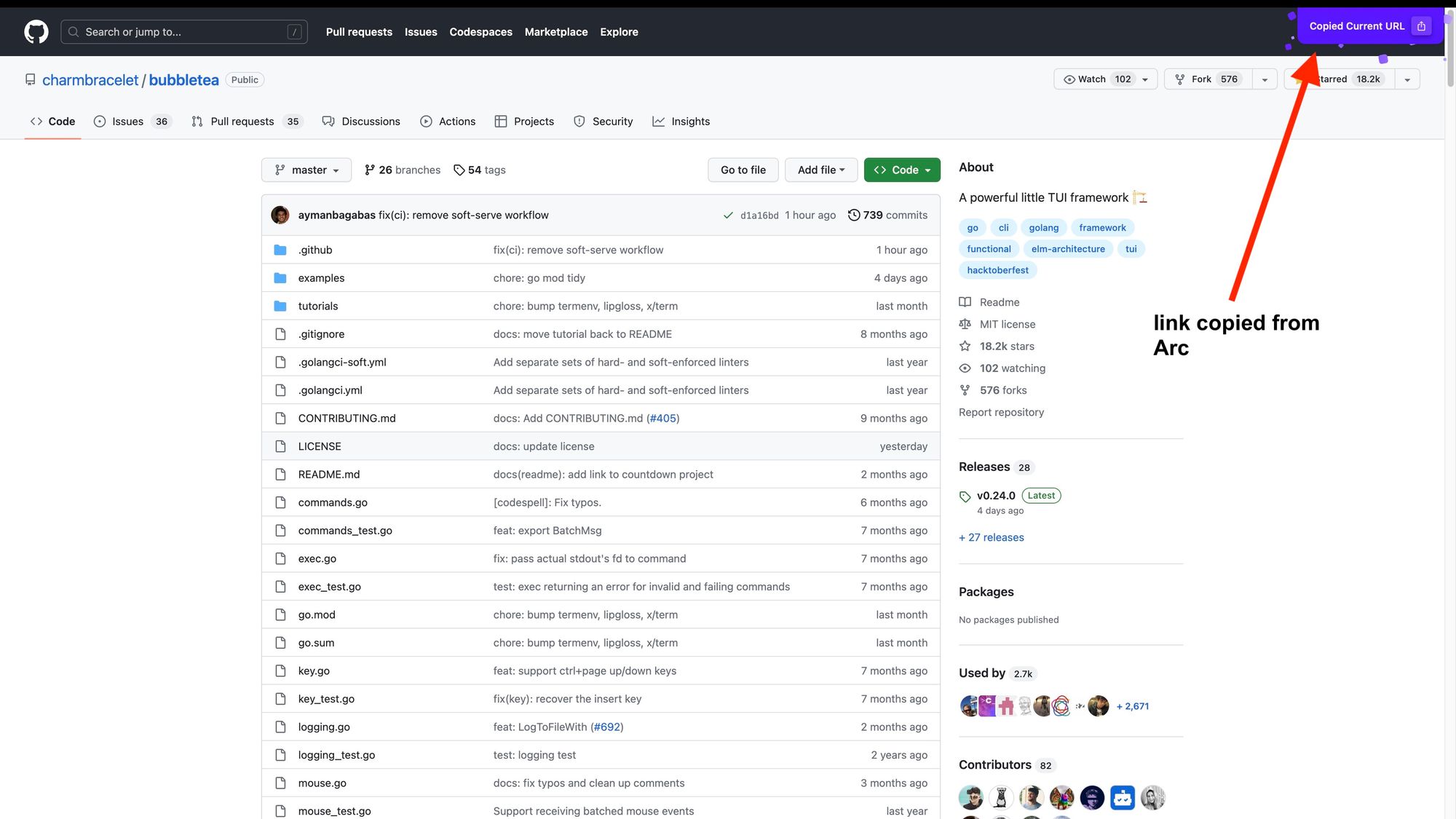
arc copy link.jpg
*filter project folder in Alfred*
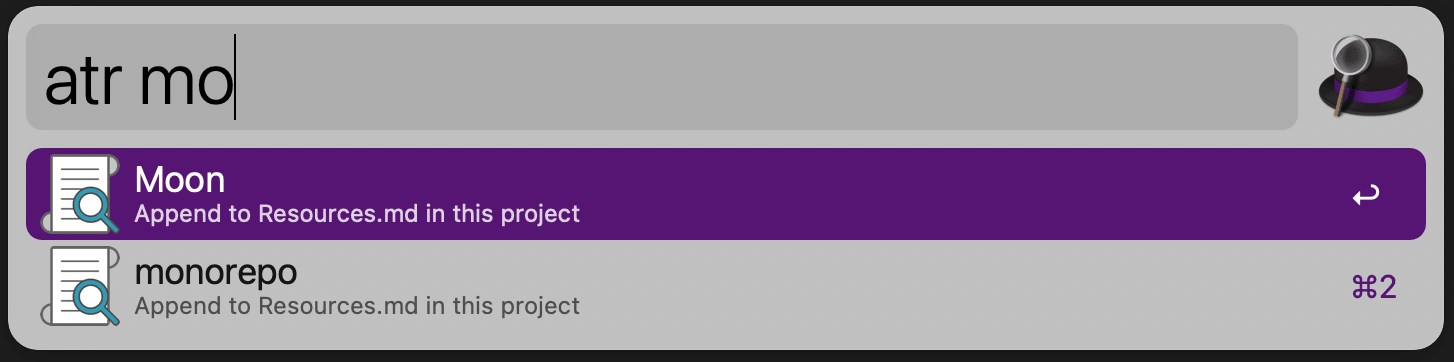
filter projects in alfred by keystroke.png
*copy link into alfred*

copy link into alfred.png
*the entire workflow*
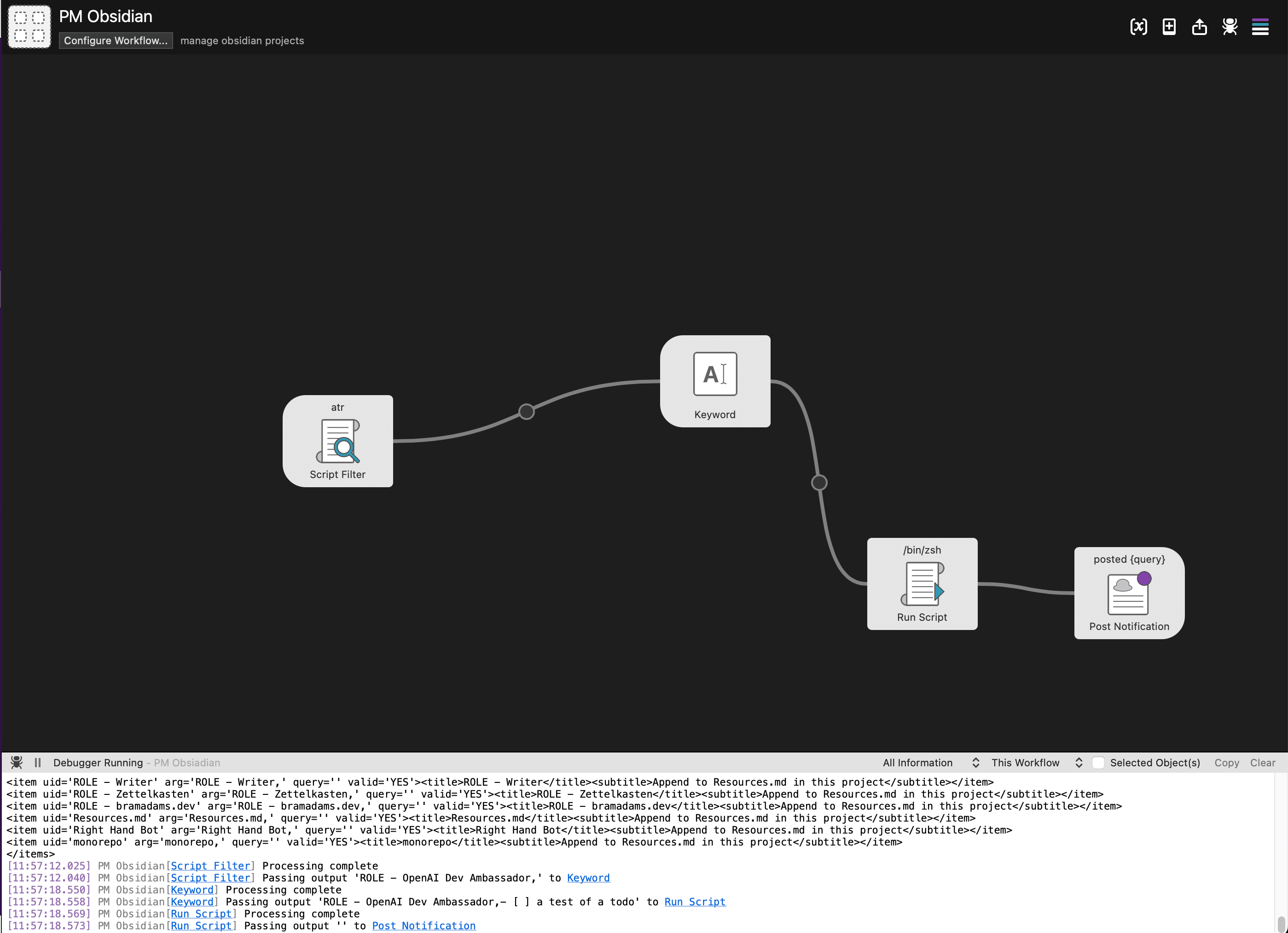
pm obsidian workflow.png
*append link into Obsidian*
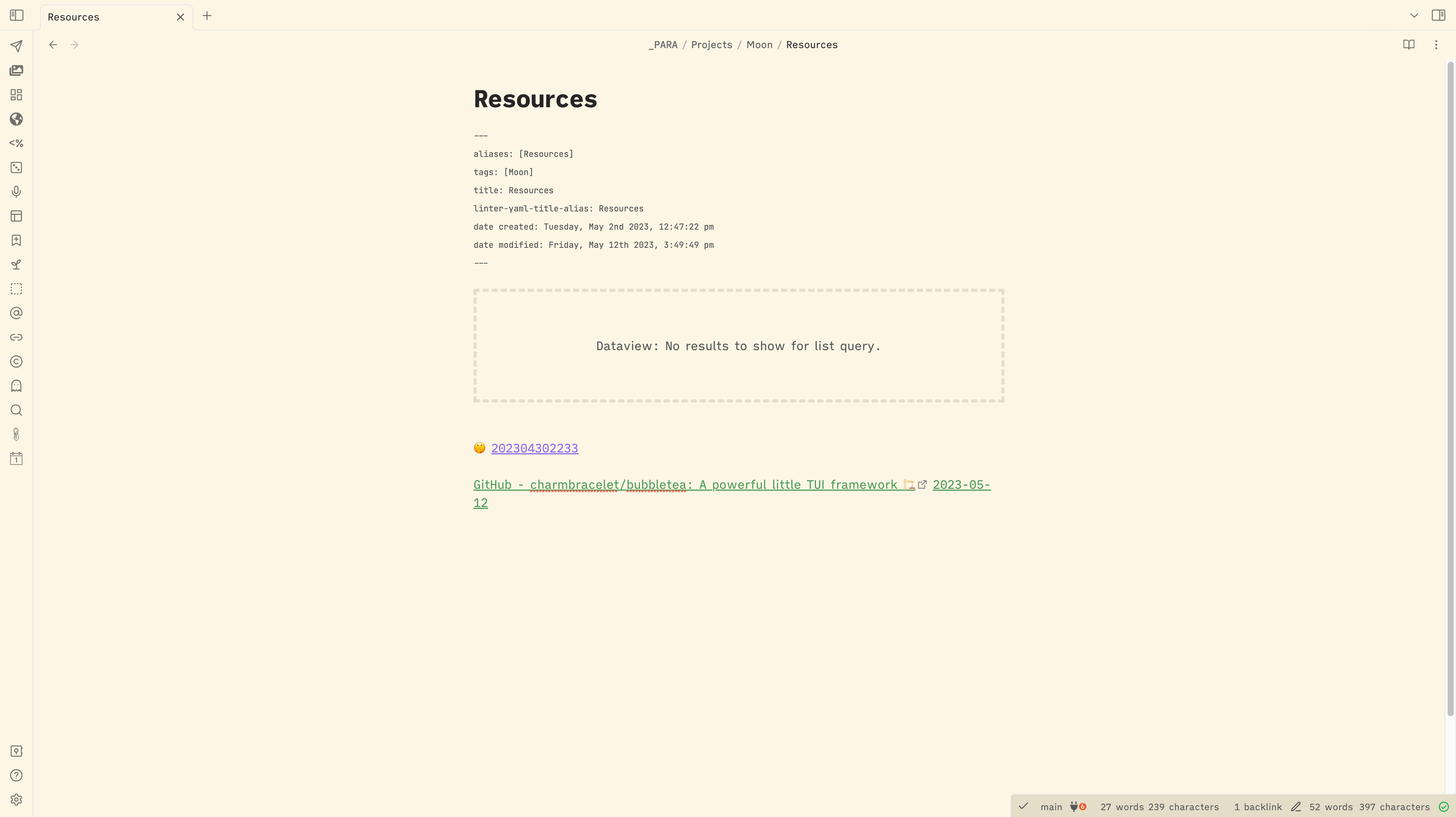
in obsidian resource result.png
Here's the code!
### Script Filter
```shell
#!/bin/bash
shopt -s nullglob
echo ""
for project_path in "/Users/bram/Desktop/Obsidian/2023/_PARA/Projects"/*
do
project=$(basename "$project_path")
echo "- $projectAppend to Resources.md in this project
"
done
echo ""
```
### Script to Append to Resources
*update 2023-05-13:*
*commas turn out to be super common so it now splits on unicode for skull and crossbones: ☠️. In addition, the `-d` flag was added. The `-d ''` option tells `read` to continue reading until it encounters a null string, which effectively means it will read the entire input, including newline characters.*
```shell
#!/bin/bash
IFS=$(printf '\u2620') read -d '' -r project query <<< "$1"
today=$(date +"%Y-%m-%d")
echo "$query [[$today]]" >> "/Users/bram/Desktop/Obsidian/2023/_PARA/Projects/$project/Resources.md"
```
*also added a version that pairs with [Obsidian Kanban](https://github.com/mgmeyers/obsidian-kanban?ref=bramadams.dev)*
```shell
#!/bin/bash
IFS=$(printf '\u2620') read -d '' -r project query <<< "$1"
query=${query//$'\n'/
}
# Specify the markdown file
MARKDOWN_FILE="/Users/bram/Desktop/Obsidian/2023/_PARA/Projects/$project/Kanban.md"
# Specify the line to be appended
TODO_LINE="- [ ] $query"
# Temp file
TEMP_FILE=$(mktemp)
# Flag to check if "# To Do" section was found
TODO_FOUND=0
while IFS= read -r line
do
# If the line matches "## In Progress" and TODO_FOUND is set, write TODO_LINE
if [[ $line == "## In Progress" ]] && [[ $TODO_FOUND -eq 1 ]]; then
echo "$TODO_LINE" >> "$TEMP_FILE"
TODO_FOUND=0
fi
# Write the current line to TEMP_FILE
echo "$line" >> "$TEMP_FILE"
# If the line matches "# To Do", set TODO_FOUND
if [[ $line == "## To Do" ]]; then
TODO_FOUND=1
fi
done < "$MARKDOWN_FILE"
# Overwrite the original file with the temp file
mv "$TEMP_FILE" "$MARKDOWN_FILE"
echo "_PARA/Projects/$project/Kanban"
```
*with [Obsidian Advanced URI](https://vinzent03.github.io/obsidian-advanced-uri/actions/navigation?ref=bramadams.dev) we can open the file directly in Obsidian in the same flow!!!*
```shell
query=$1
encoded_string="${query// /%20}"
trimmed_encoded_string=$(echo "$encoded_string" | xargs)
open "obsidian://advanced-uri?vault=2023&filepath=$trimmed_encoded_string"
echo "obsidian://advanced-uri?vault=2023&filepath=$trimmed_encoded_string"
```
## Videos
wild to go from planning to jump off a roof to peeping in on a lady dancing saving your life
same energy as
---
this music video is a whole ass movie wtf lol
---
*IVE HAD THIS SHIT ON REPEAT*
**bramadams.dev is a reader-supported [published Zettelkasten](https://www.bramadams.dev/about/). [Both free and paid subscriptions are available](#/portal). If you want to support my work, the best way is by taking out a paid subscription.**